
Feed
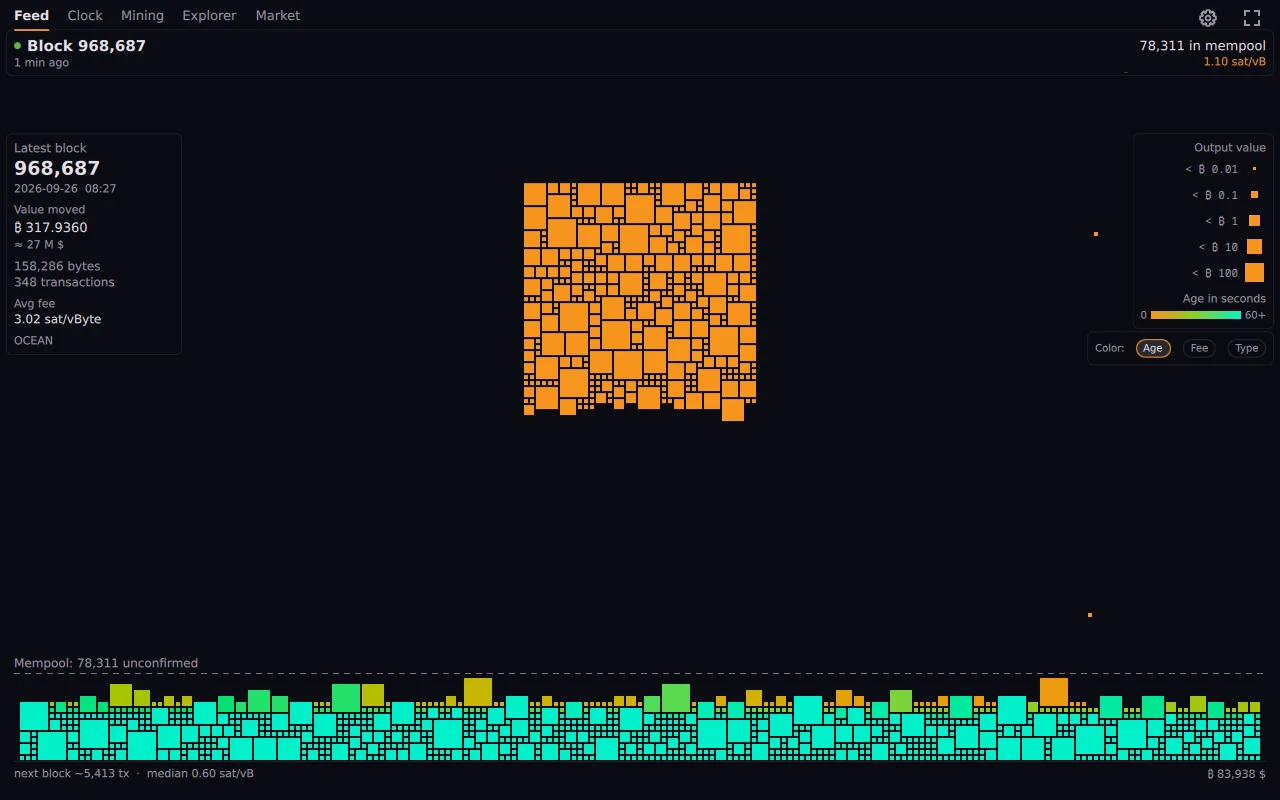
The mempool as a living mosaic, with the last block beside it. Colour by age, fee or transaction type.
Waiting transactions fall onto a heap as a tile mosaic, sized by what they move and coloured by age, fee or type. Confirmed ones fly into the block. You watch the network breathe.
Version 0.2.17 from 2026-10-08 · What's new
OrangeDeck is a Bitcoin mempool visualizer. It draws the mempool the way it actually behaves: every waiting transaction is a square. It piles up, it gets mined, it gets replaced, and you see it happen instead of reading a number.
Around that sit four more views: a block height clock for a tablet on the wall, mining figures from your own Bitaxe and from the network, a block explorer, and a market tab with candles, cumulative volume delta and liquidations.
The mempool as a living mosaic, with the last block beside it. Colour by age, fee or transaction type.
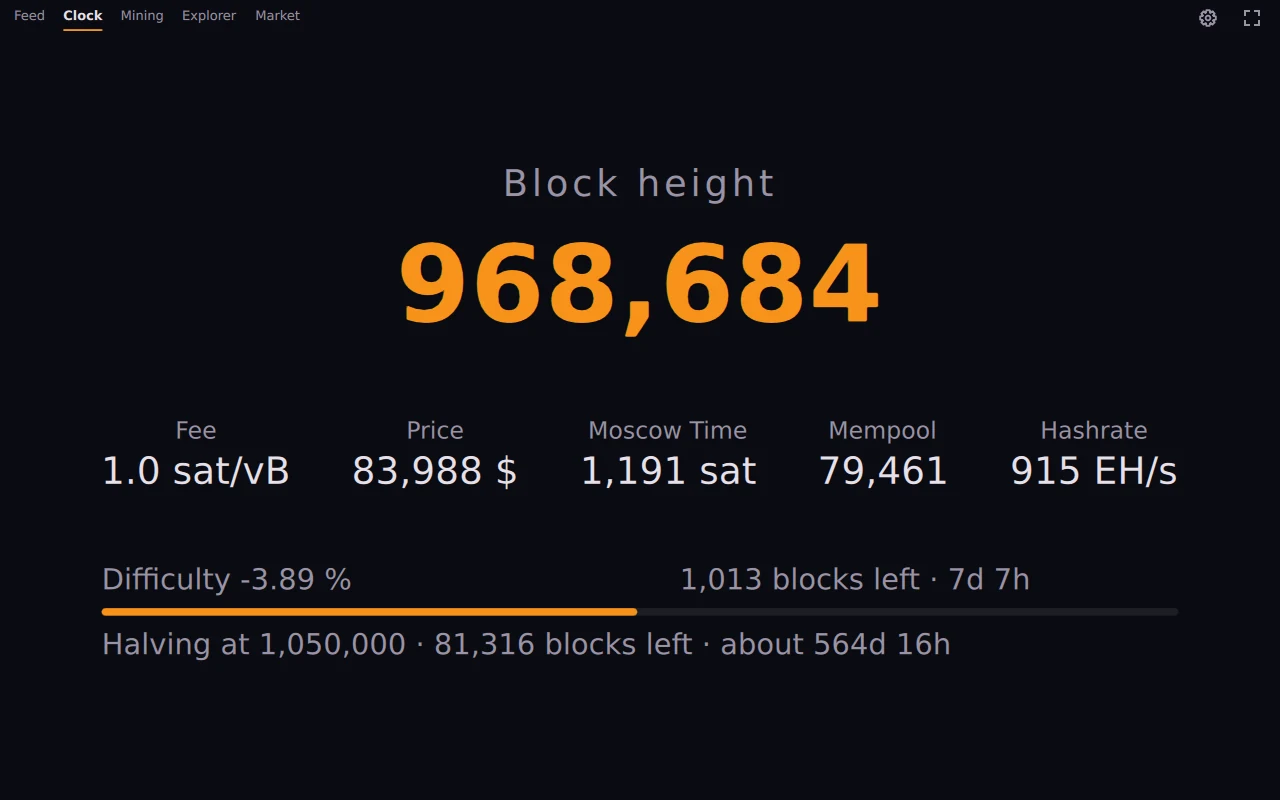
Block height, fees, price, hashrate and the halving countdown, large and without controls. For a tablet on the wall.
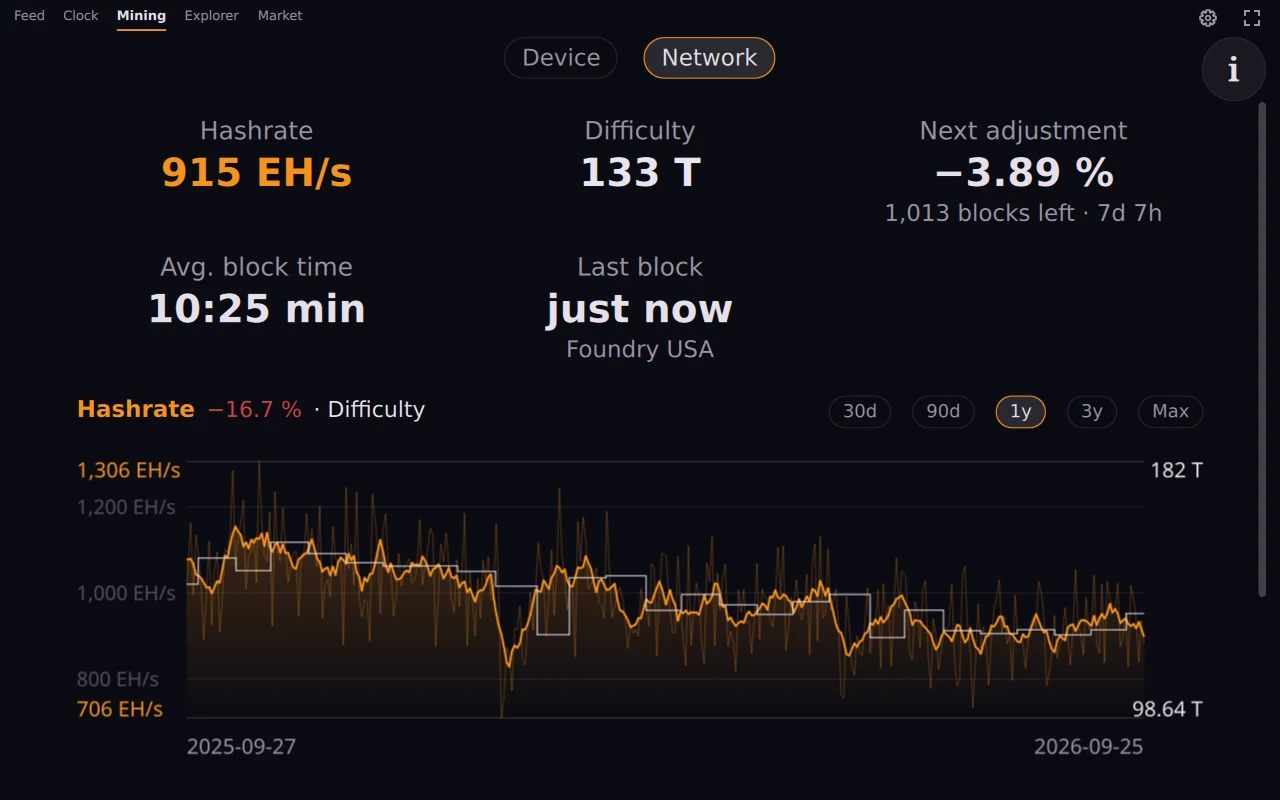
A Bitaxe monitor: hashrate, best share against the network difficulty, temperature and power of your own miner. Beside it the network with hashrate, difficulty and the next adjustment.
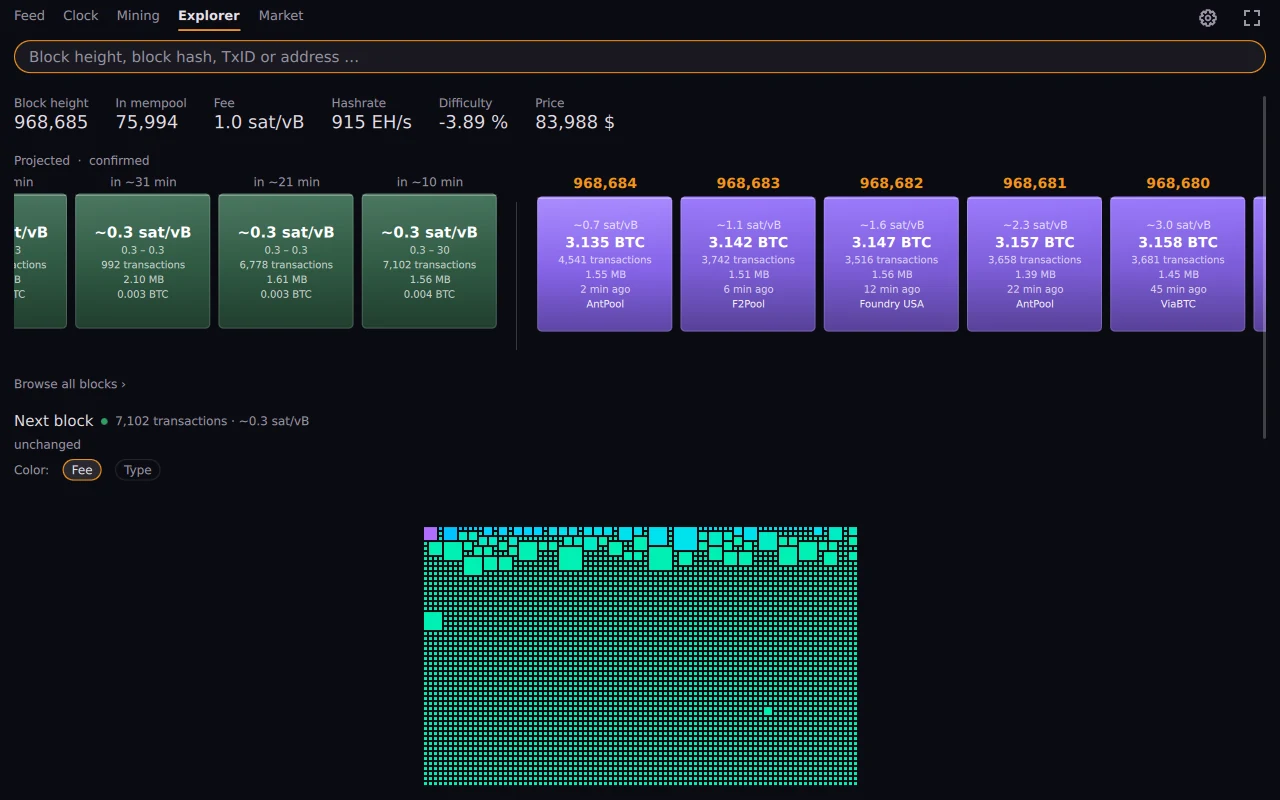
Search by height, hash, txid or address. Browse blocks and their contents, see what replaced what.
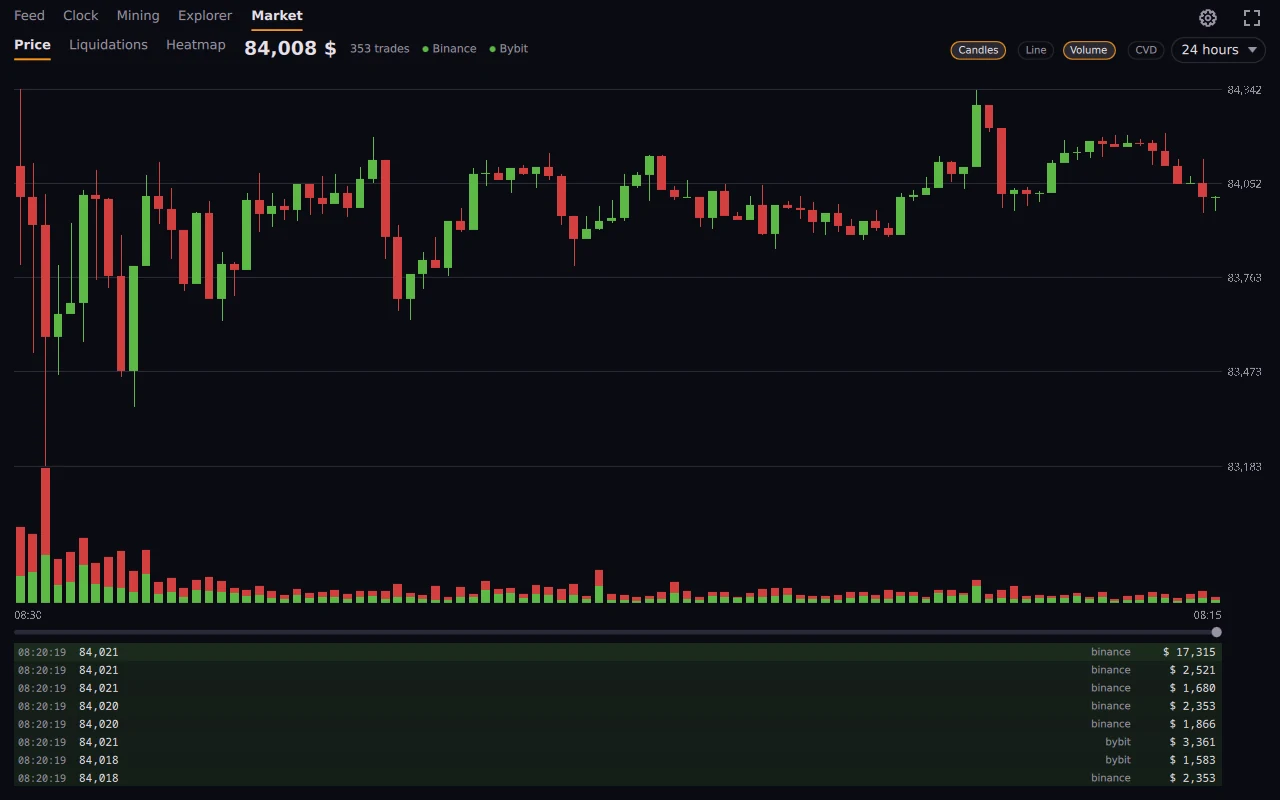
Price as candles or a line, volume, cumulative volume delta and liquidations, aggregated across exchanges.
Every tab can be switched off, and the ones that stay can be put in any order. Inside each view you decide which parts are shown. OrangeDeck shows only what you want to see.
An ordinary window. Wayland with an X11 fallback.
As a widget or bar Layer-shell on niri, sway, Hyprland, river, labwc.
Version 0.2.17. Flatpak bundle: flatpak install --user orangedeck-0.2.17.flatpak. The runtime comes from Flathub.
Listed in the DMS plugin directory. As a dashboard tab, a bar pill, a control center tile or a desktop widget.
From the DMS plugin directory: dms plugins install orangedeck. Runs on its own and uses the app's data when the app is running.
A ZIP, unzip and run. The same views as on Linux.
Version 0.2.17. ZIP for Windows 10 and 11, 64-bit: unzip and run orangedeck-app.exe. Not signed, SmartScreen asks on the first start.
Phone or tablet. Each view has its own home screen shortcut.
Builds, but has not been tested yet. There is no package so far.
It knows no private key, cannot sign, and carries no library that could. It only shows.
It talks to mempool.space or to the instance you choose, your own node included. There is no counting, no crash reports and no account.
Where a number is a model rather than a measurement, as with the liquidation heatmap, it says so on screen, with the assumptions written out.
The same QML draws the window, the widget, the panel and the phone. What is fixed in one place is fixed everywhere.
MIT licensed, no obfuscation, and the reasoning is in the commit messages rather than lost.
OrangeDeck is free and will stay free. If you would like to support the work on it, you can send bitcoin. There is no account and nothing in return, and the site does not store who donated.
No. It holds no keys, cannot sign anything and asks for none of your addresses.
Yes. Every tab can be switched off in the settings and the others can be reordered. The same goes for the parts inside each view, down to single charts and bars.
From mempool.space by default. In the settings you can enter another public mempool instance or your own node; it then applies everywhere, including the widgets and the service. Market data comes from the exchanges' public feeds.
No. There is no server of ours, no analytics and no crash reporting.
Nothing. It is MIT licensed and there is no paid tier.
Thirteen: English, German, Spanish, French, Italian, Portuguese (Portugal and Brazil), Dutch, Russian, Japanese, Chinese, Polish and Czech. It starts in the system language, and numbers and dates follow the language you pick in the settings.
No, and it says so on screen. Nobody publishes other people's positions; it is a model with its assumptions written out.
That is what the clock view is for: large figures, no controls. The Android build carries a shortcut straight into it.